
Using Fitness Tracking Devices to Improve Overall Health

 0
0
 0
0 You want real change, not just numbers on a screen, so start with a tool that turns data into action: fitness tracking for health improvement.
Pick a device that feels right on your wrist and gives reliable metrics. Brands like Fitbit, Garmin, Apple, and Samsung each nail different needs — some excel at heart rate and sleep, others shine with battery life or training insights.
We’ll compare accuracy, battery life, comfort, and coaching so you can choose the best fitness tracker without guessing. Expect clear setup tips, which metrics truly matter, and simple routines that help you sleep better, recover smarter, and move more consistently.
Quick note: wrist sensors are great for daily trends but can miss fast intervals or cold-weather steps. Knowing those limits helps you use the device like a coach, not a scoreboard.
Key Takeaways
- Choose a device that matches your habits, platform, and budget.
- Prioritize accuracy, battery life, and comfort over bells and whistles.
- Learn which metrics to trust and when to verify with a chest strap or phone GPS.
- Watch for subscriptions and ecosystem lock-in before you buy.
- Simple setup and consistent routines turn raw data into lasting gains.
What people really mean by “fitness tracking for health improvement” today
Most people don’t want raw metrics — they want clear ways to sleep better, train smarter, and build daily habits that stick.
You’ll see devices that focus on one outcome. Oura Ring digs deep into sleep stages and trends. Whoop leans into readiness coaching and recovery. Apple Watch quickly auto-detects activity and keeps things simple. Garmin gives detailed training analytics and readiness scores.
Pick features that match your goals. If sleep is your anchor, prioritize accurate heart rate and HRV trends plus clear sleep coaching. If you chase training gains, favor reliable HR, GPS pace/elevation, and training load feedback.
- Three real outcomes: better sleep, smarter workouts, and daily habit nudges that stick.
- Comfort & battery: a bulky watch or short battery kills consistency.
- App quality & cost: good dashboards matter and some coaching services have subscriptions.
Balance accuracy, usability, and the behaviors you want to reinforce over the next 90 days. That’s how trackers become tools you actually use, not gadgets you ignore.
Quick picks: best fitness tracker options by user type and budget
Pick a device that matches your platform and lifestyle, then let it nudge the habits you actually want to keep.
Best overall: Garmin Venu 3 — near beat-for-beat heart-rate accuracy, long battery, and strong sleep coaching. Trade-off: the interface has a learning curve.
Best value: Garmin Vivoactive 5 — reliable HR and distance, bright AMOLED, light feel. Trade-off: no elevation tracking.
Best for runners/multi-sport: Garmin Forerunner 265 — elite GPS, running power, and training readiness. Trade-off: bulkier, more specialist features.
Best simple trackers: Fitbit Charge 6 or Inspire 3 — Charge 6 has stronger HR sensing and many workout modes; Inspire 3 nails basics with long battery. Trade-off: Charge 6 can lag at workout start.
Apple users: Apple Watch Series 9/10 — seamless iPhone pairing, excellent HR/HRV and auto-detection; Series 10 adds sleep apnea detection. Trade-off: shorter battery life.
Android smartwatch fans: Samsung Galaxy Watch6/7 — solid HR zones and smartwatch features. Watch7 adds sleep apnea tracking and an Energy Score.
Budget bands: Amazfit Bip 3 Pro and Band 7 — big battery and good basics; expect less post-workout detail and no GPS on Band 7.
Recovery and ring: Whoop 5.0 offers subscription-based coaching and on-the-go charging; Oura Ring delivers top sleep depth and simple readiness without a screen.
- Start with platform fit — iPhone or Android will shape your best choice.
- Prioritize one outcome (sleep, running accuracy, or coaching) and accept trade-offs like battery life or complexity.
- Customize alerts and metrics to match your goals rather than chasing every feature.
| Device | Platform Strength | Battery / Standout | Key Trade-off |
|---|---|---|---|
| Garmin Venu 3 | Balanced accuracy & recovery insights | Long battery; strong sleep coaching | Learning curve on interface |
| Garmin Vivoactive 5 | Value, reliable HR/distance | Bright AMOLED, comfortable | No elevation tracking |
| Forerunner 265 | Elite GPS & running power | Rugged build for athletes | Heavier, specialized features |
| Apple Watch Series 9/10 | Seamless iPhone integration | Accurate HR/HRV, auto-detect | Shorter battery life |
| Whoop 5.0 / Oura Ring | Coaching (Whoop) / sleep depth (Oura) | On-the-go charging / discrete ring | Subscription (Whoop); no display (Oura) |
Need a simple start? Read our guide on mindful eating and routines to support gains alongside your device: mindful eating habits that support muscle gain and fat.
fitness tracking for health improvement: the features that matter most
Not every metric helps you get better—focus on the features that turn signals into simple actions.
Heart rate and HRV: why accuracy matters
Heart rate and HRV form the backbone of smart training. Accurate heart readings let you hit zones, pace runs, and avoid overdoing it.
If a device reports steady heart numbers (Venu 3, Forerunner 265, Vivoactive 5 do well), you can trust zone-based workouts and recovery guidance.
Sleep scoring and coaching
Sleep tracking should break nights into stages and offer clear tips. Oura nails sleep depth; good sleep quality advice changes bedtime and caffeine choices.
GPS and distance accuracy
Reliable GPS matters for outdoor runs and rides. Forerunner 265 excels here—pick GPS when pace, distance, or hill data guide your sessions.
Recovery, readiness, and load
Readiness scores help you decide: push today or take an easy day. Whoop’s coaching and device recovery insights turn numbers into simple plans.
Battery, comfort, and screen
Battery life and a readable screen keep you wearing the device overnight and during workouts. Comfort matters—snug straps improve sensor contact.
- Beginner: prioritize accurate heart rate monitoring and sleep coaching.
- Advanced: add GPS, training load, and structured workouts.
| Feature | Why it matters | Quick pick |
|---|---|---|
| Heart rate | Zones, pacing, recovery | Venu 3 / Vivoactive 5 |
| Sleep | Sleep quality, coaching | Oura |
| GPS | Distance, pace, elevation | Forerunner 265 |
Quick takeaway: pick the small set of features that change what you do today, not the ones that just make nice data.
How accurate are fitness trackers, really?
Let’s be blunt: devices can be impressive, but they don’t always match a chest strap when intensity spikes.
Chest strap comparisons and beat-for-beat performance
Chest straps still set the standard for short, intense efforts. If you sprint or do repeated intervals, a chest strap captures fast heart rate jumps beat-by-beat.
In tests, the Garmin Venu 3 matched a strap closely mid-workout. Forerunner 265 also shows strong heart and GPS fidelity. The Charge 6 follows a strap well but can lag right at the start of a set.
Where wrist sensors excel, and where they still struggle
Wrist units nail steady cardio, daily step counts, and resting heart readings. Inspire 3 was nearly perfect for steps and resting beats. Budget options like Amazfit Bip 3 Pro give solid value for day-to-day use.
- Common limits: quick spikes, cold hands, and very technical terrain can lower accuracy.
- Simple fixes: wear the device snug one finger above the wrist bone, warm your hands before intervals, and try a short warm-up.
- When to pair: use a chest strap for frequent high-intensity sets, and keep the watch for long-term trends and daily tracking.
| Scenario | Best tool | Quick note |
|---|---|---|
| Intervals / sprints | Chest strap | Beat-for-beat accuracy |
| Steady runs / daily wear | Venu 3 / Forerunner 265 | Close to strap, easy use |
| Resting HR & steps | Inspire 3 / Bip 3 Pro | Reliable trends at low cost |
Validate your device with a steady run, an interval session, and a recovery day. Look at trends, not single workouts—consistent patterns tell the real story in your data.
Top pick deep dive: Garmin Venu 3 for holistic health and training
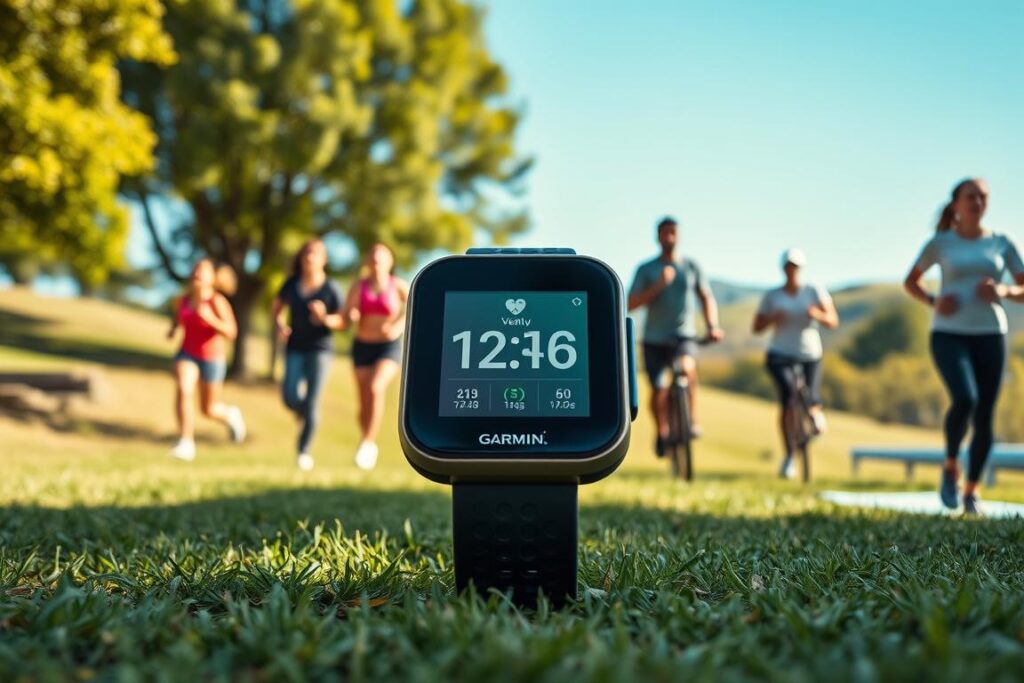
Think of the Venu 3 as a coach on your wrist. It reads your morning HRV, tracks sleep stages, and nudges sensible steps for the day.
Standout accuracy, advanced coaching, and long battery life
The Venu 3 delivers near beat-for-beat heart rate accuracy versus a chest strap. That means zones and recovery cues you can trust.
The 1.4-inch AMOLED screen is bright and legible mid-workout. GPS is dependable outdoors. You’ll build detailed workouts in the Garmin Connect app and send them to the watch—no guessing in the gym.
Battery life is a real plus. Even under 5% the power-saving mode stretches a session and gets you home.
Where it shines vs. where it can feel less intuitive
- Pros: solid HR and GPS, useful sleep coaching, advanced recovery predictions, clear real-time metrics, robust features for both strength and endurance.
- Cons: deep interface with a learning curve; some summaries sit a few taps deep. If you want ultra-simple menus, expect a short adjustment period.
| What it nails | Why it matters | Quick note |
|---|---|---|
| Heart rate accuracy | Trust zones and recovery | Near chest-strap fidelity |
| Workout builder | Structured gym and runs | Create sets/reps in Garmin Connect |
| Battery & screen | Wear all day and train | AMOLED plus power-saving |
Bottom line: the Venu 3 balances smart coaching, reliable signals, and practical features. If you want a device that turns morning data into clear action, this one earns its premium. You’ll learn the interface fast and then stop thinking about the gadget—only about your progress.
Best value blend: Garmin Vivoactive 5 for everyday athletes
Think of the Vivoactive 5 as the sensible middle ground: accurate basics without a steep price. You get reliable heart rate and distance readings, comfortable all-day wear, and a crisp AMOLED screen that makes glancing at pace or reps painless.
The device covers the core metrics you need—heart rate, pace, distance, and sleep—so your daily activity and data actually help you make better choices. Lab tests show high HR accuracy (about 98.61%), which gives you confidence in zones and calorie estimates.
Battery life supports multi-day use including workouts and overnight sleep. The Garmin app fills in sleep analysis and training summaries, though you must use the app to view older workouts on your phone.
- Gains: accurate HR, clear screen, simple activity logging, strong value.
- Trade-offs: no elevation tracking and limited on-watch access to past sessions.
| What | Why it matters | Note |
|---|---|---|
| Heart rate | Zones & calories | 98.61% measured accuracy |
| Battery life | Wear multi-day | Good for sleep + workouts |
| GPS | Outdoor distance & pace | Reliable for runs |
If you’re upgrading from a basic band, this watch is the sweet spot of performance, features, and price. It gives practical data without extra fuss—perfect for everyday athletes who want usable tools, not complexity.
Data-driven training: Garmin Forerunner 265 for runners and triathletes
If you race or log long sessions, you need a watch that turns outdoor conditions into clear pacing cues.
GPS, running power, and training readiness
The Forerunner 265 pairs elite GPS precision with running power estimates that factor pace and wind. That combo helps you pace smarter on race day and avoid wasted effort early on.
Training readiness blends sleep, HRV, and stress so you balance hard intervals and recovery across a week. GearLab measured HR accuracy at 96.55%, so zones and pace alerts are reliable.
- Precise GPS holds in urban canyons and tree-lined trails.
- Hybrid buttons plus touch work in rain, sweat, or with gloves.
- Rugged build and long battery suit long runs, rucks, and tri blocks.
- Post-workout summaries give actionable takeaways, not just raw numbers.
| Feature | Why it matters | Quick note |
|---|---|---|
| GPS | Trustworthy distance & pace | Elite lock outdoors |
| Running power | Pace effort without a power meter | Adjusts for wind |
| Training readiness | Balance load and recovery | Uses sleep & HRV |
This watch is bulkier than lifestyle models, but if most of your sessions are outdoor and data-driven, the performance upside is clear. It grows with you as your workouts get sharper and your race goals get bolder.
Simplicity wins: Fitbit Charge 6 and Inspire 3 for easy on-ramps
If you want a low-friction start, pick a band that stays on your wrist and gives clear daily cues.
Charge 6: stronger heart rate monitoring and clear insights
The Charge 6 has an advanced heart-rate sensor and supports about 40 workout types. It matches a Polar H10 during intervals once the session warms up, though initial readings can lag on short sets.
Use case: choose this model if you want better HR accuracy and simple weekly progress reports without fuss.
Inspire 3: accurate basics, long battery life, and lightweight design
The Inspire 3 nails steps and resting beats with tiny variance and gives about seven days of battery life in mixed use.
It’s ultra-light, comfortable to sleep in, and great if you want reliable basics and a very long charge between wears.
Fitbit app, Premium perks, and Google account changes
Both pair with the Fitbit app to show sleep stages, readiness-style scores, and clear stress trends. Premium costs about $10/month or $80/year and adds guided plans and mindfulness.
New buyers need a Google account. Existing Fitbit logins remain supported through at least 2025, with confirmed access to Feb 2, 2026. That means you can move slowly and keep your data safe.
- Pick Charge 6 for interval HR and clearer workout insights.
- Pick Inspire 3 for lightweight wear, step accuracy, and long battery life.
| Model | Strength | Battery |
|---|---|---|
| Charge 6 | Advanced HR accuracy, clear insights | Varies with features |
| Inspire 3 | Step and resting HR accuracy, light feel | About 7 days |
| Fitbit App | Sleep tracking, weekly summaries | NA |
Apple Watch Series 9 vs. Series 10: convenience, coaching, and battery trade-offs
If you use an iPhone every day, the apple watch makes data flow feel effortless. Your metrics sync into the Health app without extra setup. That alone keeps you wearing the device more often.
Seamless sync, solid sensors, and the real compromise
The Series 9 nails heart rate and HRV zones and auto-detects workouts fast—yes, it even recognizes swim strokes. Series 10 keeps those strengths, adds a thinner build, better speakers, and new sleep apnea detection.
- Pros: tight iPhone integration, quick workout detection, great day-to-day metrics.
- Cons: limited battery life—plan charging so sleep and overnight HRV stay consistent.
- Coaching: the apple watch is superb for convenience, but Garmin tools still edge it on deep training analytics and readiness.
| Model | Standout | Quick note |
|---|---|---|
| Series 9 | Accurate HR/HRV | Fast auto-detect, seamless app sync |
| Series 10 | Refined hardware | Sleep apnea detection, thinner build |
| Both | Smartwatch features | Great for notifications, payments, daily data |
Pick the apple watch if ecosystem fit and ease matter most. If you chase deep running metrics, consider pairing a chest strap or a Garmin during training blocks. If you already love Series 9, upgrade only if Series 10’s new features solve a real need.
Android-friendly smarts: Samsung Galaxy Watch6 and Watch7 upgrades
If you own an Android phone, the Galaxy line gives a comfortable daily option that pairs well and stays out of your way.
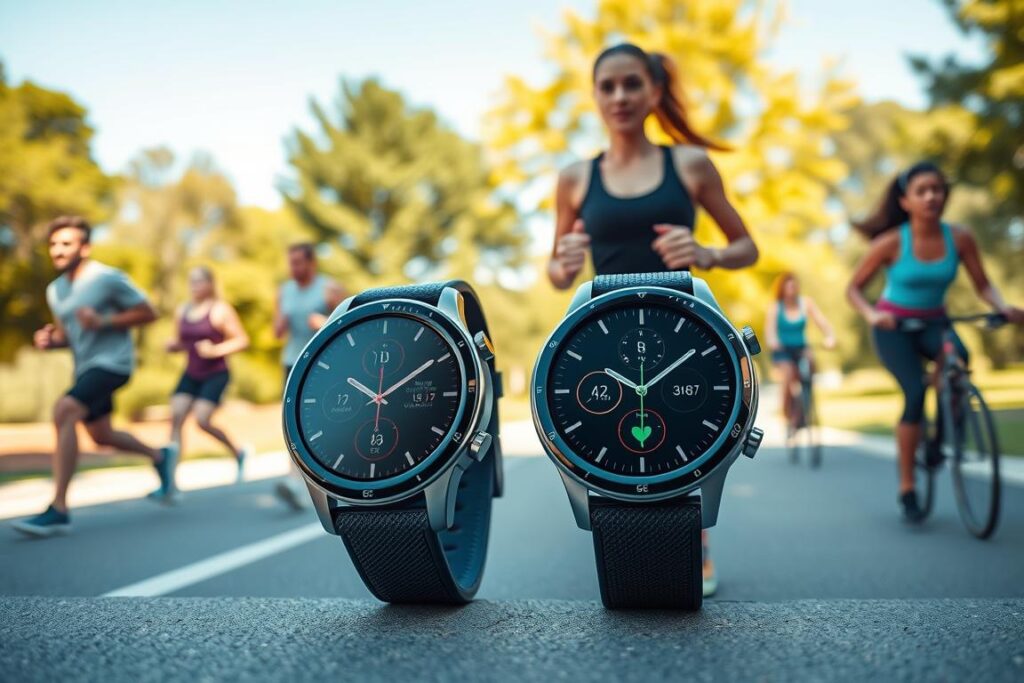
Watch6 is light, comfy, and uses personalized heart rate zones and alerts to keep you on pace. It lacks deep HRV insights and its GPS and coaching depth trail Garmin. Battery life handles daily use, but plan regular charging if you want nightly sleep records.
Watch7 brings sleep apnea detection, tighter location accuracy, an Energy Score, and AI wellness tips. Many core features overlap with Watch8, so Watch7 often gives better value when budget matters.
- Samsung Health makes summaries easy to read and act on without clutter.
- Pair a chest strap when you need beat-for-beat heart accuracy during hard intervals.
- If outdoor GPS, elevation, and deep training metrics are central, Garmin still leads.
| Model | Strength | Notable upgrade |
|---|---|---|
| Galaxy Watch6 | Comfortable everyday use | Personal HR zones |
| Galaxy Watch7 | Better sleep & location | Sleep apnea, Energy Score |
| Samsung Health (app) | Simple summaries | AI tips and daily data |
Rings and bands: Oura Ring, Whoop 5.0, and Amazfit value picks
If you prefer something low-profile, rings and slim bands give you nightly coaching without a bulky screen.
Oura Ring shines when sleep is your priority. Its sleep-stage detail and readiness scores are excellent, and the ring is discreet and comfy. Expect to review most data on your phone rather than mid-session, since there’s no display.
Whoop 5.0 feels like a coach in your pocket. It delivers deep trends, strain and recovery guidance, and clever on-the-go charging. Note: a subscription required to access full coaching. The module stores about two weeks of data between syncs.
Amazfit Band 7 is the budget option. It offers long battery life, comfy wear, and simple dashboards. Accuracy and GPS are limited, so don’t rely on it for tight interval pacing.
- Pick Oura Ring if sleep depth and a minimal form matter most.
- Pick Whoop 5.0 if you want daily coaching and trend-driven plans (subscription required).
- Pick Amazfit Band 7 when cost and battery life trump precise outdoor metrics.
| Device | Strength | Quick trade-off |
|---|---|---|
| Oura Ring | Sleep detail, readiness | No on-device display |
| Whoop 5.0 | Coaching, strain trends | Subscription required |
| Amazfit Band 7 | Battery life, value | No GPS, mixed accuracy |
Battery life reality check: how long these devices actually last
Battery life often decides whether you’ll wear a device every night or leave it on the charger.
In real use, claims differ from results. The Inspire 3 typically lasted about seven days in mixed use versus a 10-day claim. The Venu 3 holds well; its power-saving modes stretch a low charge into useful hours. Whoop stores roughly two weeks of data and uses a slide-on pack to charge without long downtime.
The Apple Watch needs near-daily charging if you use bright screens and frequent workouts. By contrast, the Amazfit Band 7 offers excellent run-time for its class and keeps nights covered with minimal fuss.
Plan so dead batteries don’t cost you sleep or workout data
- Charge around sleep: top up during a shower or while you work so nights stay recorded.
- Use power savings: turn off always-on displays and lower brightness to extend the battery.
- Save GPS: long GPS sessions drain power fast—download routes or use power-saving modes.
- Keep it warm: cold weather shortens battery life; warm the device before a cold run.
- Travel smart: pack a compact charger and use airplane-mode syncs when you need extra life.
| Device | Real-world battery | Quick tip |
|---|---|---|
| Inspire 3 | ~7 days mixed use | Charge once weekly, keep nights clear |
| Venu 3 / Forerunner 265 | Multi-day with power-saving | Enable low-power modes when needed |
| Whoop 5.0 | Stores ~two weeks | Use slide-on charger on the go |
Bottom line: pick a device that fits your routine. It’s better to wear a simpler band nightly than to own a powerhouse you leave on a charger. Plan charging times and settings so your recovery and HRV data stay reliable.
Subscriptions, apps, and hidden costs you should know about
A device looks cheap until you add the monthly app fees that unlock its best features. Count hardware and software when you budget so nothing surprises you.
Be clear about what costs extra. Some makers bundle coaching and deep reports behind a paywall. The whoop 5.0 is one clear example: it is subscription required because its value is daily coaching, journals, and long-term trend analysis.
Fitbit Premium runs about $10/month or $80/year and often has a six-month trial. The fitbit charge pairs with that service and it can change how useful the band feels.
Quick decision guide
- Budget software, not just hardware. Many devices also offer advanced lessons only in paid tiers.
- Ask whether you want structured programs. If you do, a subscription may pay off.
- Check export options. Own your raw data if you plan third-party analysis.
- Try free tiers first. Upgrade only if premium features change your routine.
| Service | Cost | Why pay |
|---|---|---|
| Whoop 5.0 | Subscription required | Daily coaching, strain & recovery trends |
| Fitbit Premium | $10/mo or $80/yr (trial often available) | Guided programs, mindfulness, deeper reports |
| Garmin / Samsung | Many core features included | No recurring fee for readiness; software updates add value |
Revisit subscriptions every few months and cancel if you aren’t using extras. That keeps your plan lean and your focus on meaningful progress, not just the app metrics.
Privacy and data: what happens to your health metrics
Before you sync anything, take a minute to decide what you’re comfortable sharing and why. That small pause makes setup less risky and gives you control over your own information.
Fitbit, Google, and practical safeguards
Know the account change: new Fitbit devices now require Google accounts. Existing Fitbit accounts remain supported through at least 2025, and current logins work through Feb 2, 2026. Google’s policies govern how some information is collected and used.
Apple and Oura operate in their own ecosystems. The apple watch funnels metrics into Apple Health with device-level encryption and clear sharing controls. The oura ring publishes export options if you want a local copy of your data.
- Read the privacy policy before you pair any device or connect an app.
- Use two-factor authentication and strong passwords on accounts.
- Limit third-party connections and turn off location or social features you don’t use.
- Periodically download your data — it’s your health history and worth keeping.
| Brand | Privacy note | Export |
|---|---|---|
| Fitbit / Google | Google account required for new users; data use per Google policy | Options via account settings |
| Apple Watch | Data stored in Apple Health; strong device security | Export from Health app |
| Oura Ring | Clear privacy docs; minimal on-device sharing | Phone export available |
The goal is informed choice. Secure accounts, revisit in-app settings after updates, and share only what supports your goals. That keeps your progress useful without giving away more than you intend.
Setup to success: how to get accurate data from day one
A few simple adjustments at the wrist and in the app will lift your device from gadget to guide.
Wrist fit, sensor placement, and GPS basics
Wear it snug, one finger above the wrist bone. Clean the sensor window so optical readings stay sharp.
In cold weather, warm your hands before intervals. Better circulation improves heart rate readings.
Stand outside with a clear sky for a minute before an outdoor session to help GPS lock. Avoid starting next to tall buildings.
Pairing, zones, and on-screen alerts
Open the app, update firmware, then pair your device. Firmware fixes often boost sensor and gps stability.
Set personalized heart rate zones from a recent hard effort or a tested max. Turn on alerts for leaving zones and high/low heart rate so you adjust in real time.
Customize the screen to show only key fields—bigger, fewer numbers are easier to read mid-set.
- Strength sessions: pick strength mode and edit reps later; watch HR trends between sets.
- Daily habit: sync and charge during the day so nightly HRV and sleep data record.
- Track progress: keep a simple log for a week to compare feel versus recorded data.
| Step | Action | Why it helps |
|---|---|---|
| Fit | Snug, one finger above bone | Improves optical accuracy and comfort |
| GPS | Calibrate outside, clear sky | Better distance and pace readings |
| App & zones | Update firmware, set zones, enable alerts | Real-time cues and reliable rate monitoring |
Make your tracker pay off: weekly routines that improve real health
Build a weekly rhythm that makes your device a coach, not just a screen. Treat metrics as cues and plan one clear week that you can repeat.
Turn metrics into actions
- Weekly cadence: two to three easy aerobic workouts, one to two strength sessions, and one interval day when readiness is high.
- Use heart rate zones to control intensity—most gains come from steady aerobic work, not constant redlining.
- Anchor sleep with a regular bedtime and a short wind-down. Note how sleep affects next-day energy.
- Protect recovery: reserve one full rest day. If your readiness score dips, swap intervals for an easy walk or mobility work.
- Review weekly in your app each Sunday; pick one metric to improve and one habit to keep.
Keep active recovery on low-readiness days—short walks, light cycling, or stretching helps circulation and supports sleep.
| Plan element | Goal | Quick tip |
|---|---|---|
| Workouts | Consistency & aerobic gain | 2–3 zone-2 sessions/week |
| Strength | Quality & recovery | Rest until heart rate returns to target |
| Review | Focus progress | Sunday app summary, small tweaks |
Conclusion
Choose a wearable that fits your life and let it simplify your next 90 days of progress.
Garmin Venu 3 is the best fitness tracker for most—accuracy, coaching, and battery make it practical. Runners and triathletes should lean to the Forerunner 265 for elite GPS and readiness. If you want simplicity, pick the Fitbit Charge 6 or Inspire 3.
If convenience matters most, the apple watch pairs seamlessly with iPhone. Android users may like Samsung Watch7. Prefer discreet wear? Oura Ring highlights sleep, while Whoop 5.0 offers daily coaching (subscription required).
Set your zones, confirm a snug fit, and commit to wearing the device nightly. Each week, review the report, pick one habit to improve, and stack small wins. Treat the device as a coach—use it to make better choices today and stronger choices next month.
FAQ
What do people mean by “fitness tracking for health improvement” today?
What are the primary goals users chase with these devices?
How should I choose a device based on commercial intent and outcomes?
Which device is the best all-around watch for most people?
What’s the best value performer right now?
Which trackers are best for runners and triathletes?
I’m a beginner. Which simple tracker should I get?
Which device works best if I’m deep in the Apple ecosystem?
What about Android users who want a smartwatch experience?
Which budget bands give the most value?
Are there specialized options for recovery coaching or sleep depth?
How important is heart rate and HRV accuracy?
How reliable is sleep tracking across devices?
When should I prefer a chest strap over a wrist sensor?
How long does battery actually last across devices?
Do I need a subscription to get full value from these devices?
How accurate is GPS and outdoor pace data?
What privacy concerns should I check before buying?
How do I set up my device to get accurate data from day one?
How do I turn metrics into real weekly habits that improve outcomes?
Which metrics should I focus on first as a beginner?